Record meetings in the room
Put your iPhone on the table and tap Record. It keeps recording when the screen locks, and the notes and follow-ups are ready when you walk out.
New on the App Store
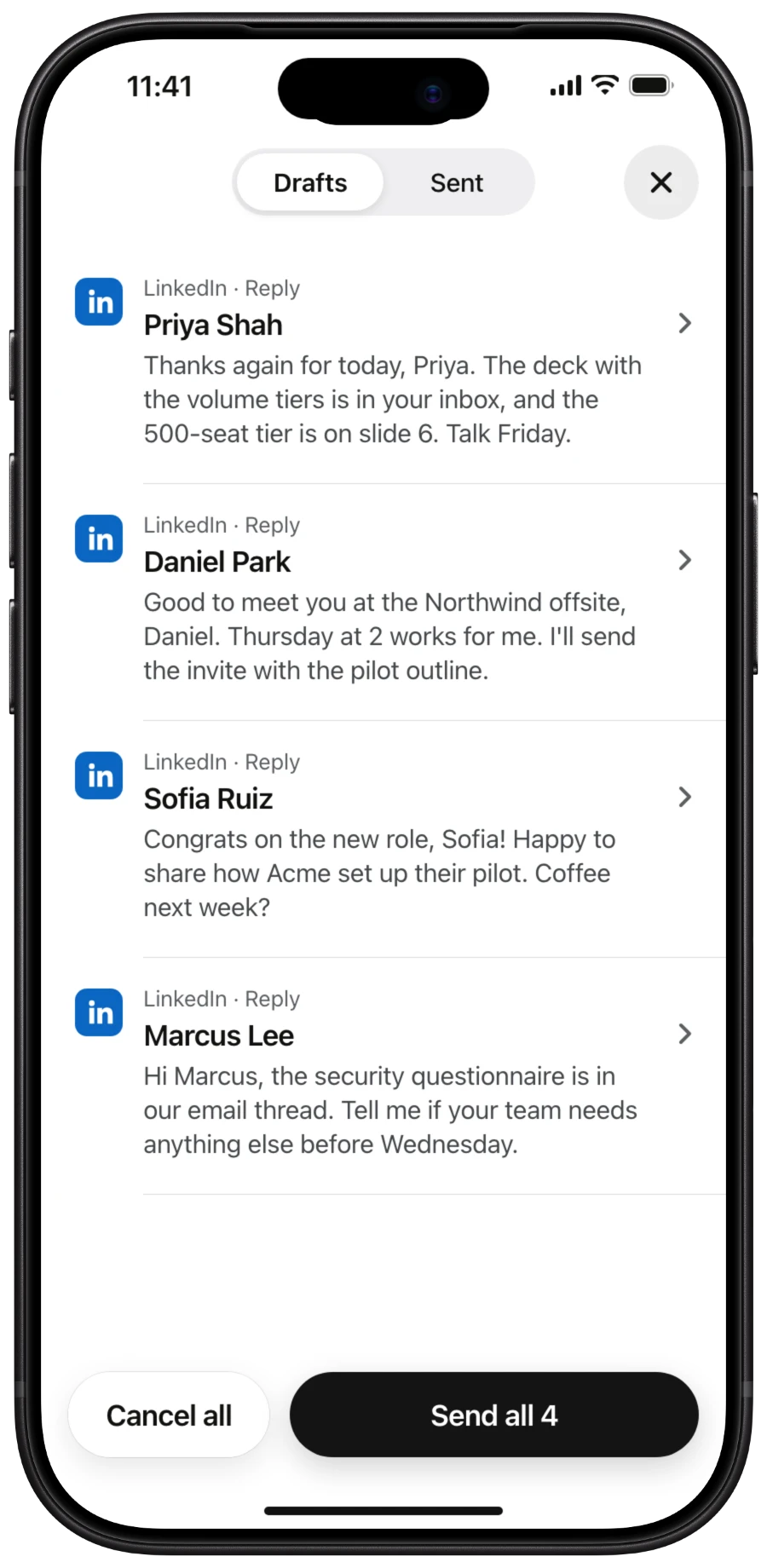
Record meetings in the room, approve the follow-ups Addys drafted, and let it reply to your LinkedIn, WhatsApp and Telegram messages.
 Scan with
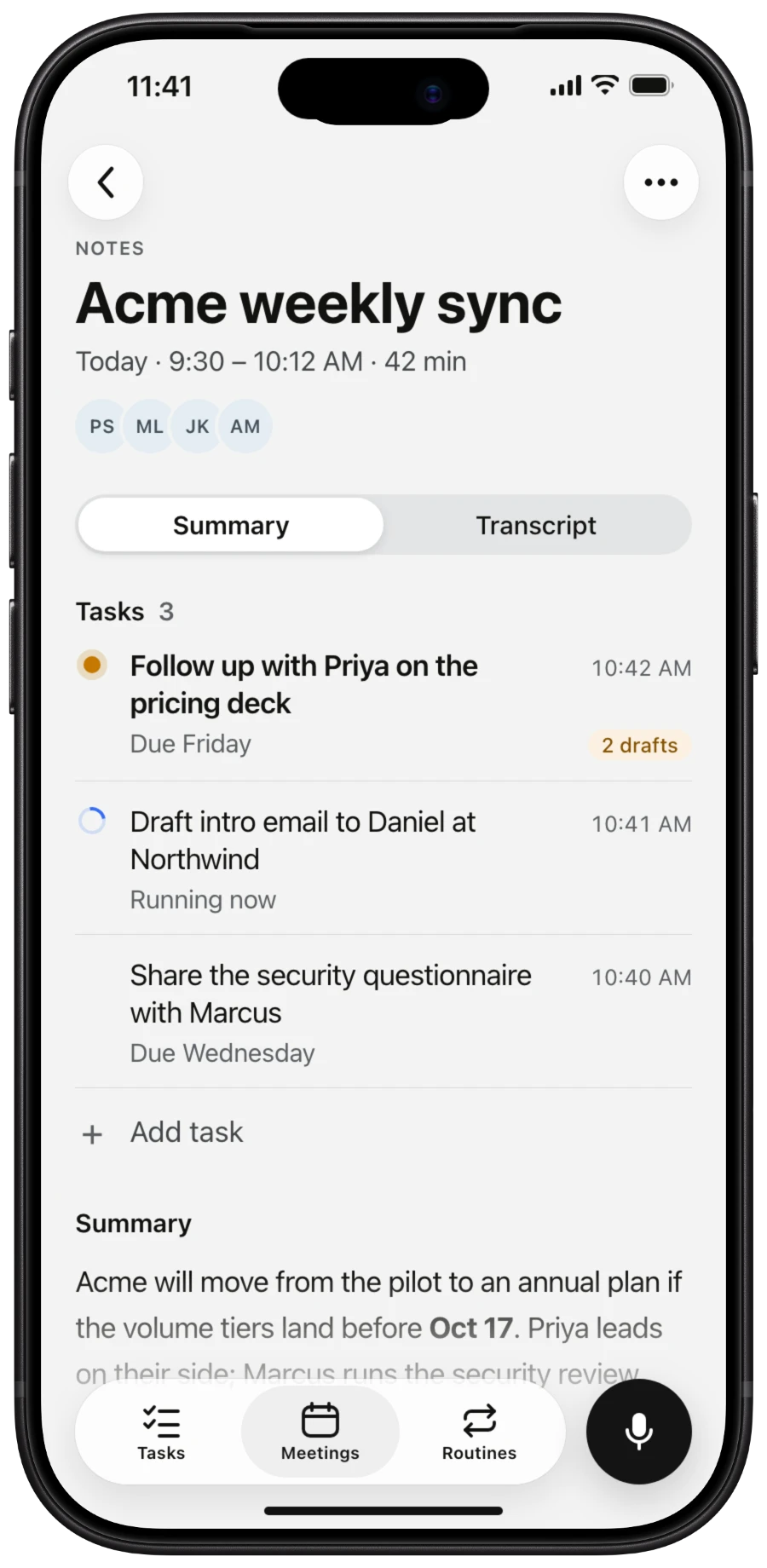
Put your iPhone on the table and tap Record. It keeps recording when the screen locks, and the notes and follow-ups are ready when you walk out.
The emails, messages and calendar invites Addys drafted, ready to check and send all at once.
Connect your messaging apps and Addys drafts replies to the people writing to you, with the context of your last meeting. Check them and send.
Every meeting's summary, transcript and tasks, including the calls your Mac recorded.
Who's in the room, what you talked about last time and what's worth raising.
Routines like Email Daily run on schedule, and each run is there for you to check.
Meetings in the room: 1:1s, coffees, client offices and conference floors.
Zoom, Google Meet and Teams calls, with no bot. Review and approve the follow-ups on either device.
Not on the same iPhone. iOS doesn't let one app hear another app's audio, so calls you take on your iPhone can't be recorded. Calls on your Mac are recorded by Addys for Mac, and you can review them on your iPhone.
No. On Android, use Addys on the web at app.addys.ai.
It's free to download and uses your Addys plan, including the 7-day Spark trial. There's nothing to buy inside the app.
Download it from the U.S. App Store. If you search the App Store, search for Addys AI.
Seven days, no card
Let Addys handle what happens next.